
Post by Niranjan D
What I learned shipping six free apps as a student
Published · 5 min read
Lessons from building and shipping Nibi, Dangle, Hush, Nook, Helm and Folio: small frequent releases, signed updates, honest product pages, prerendering for search, and keeping them free.
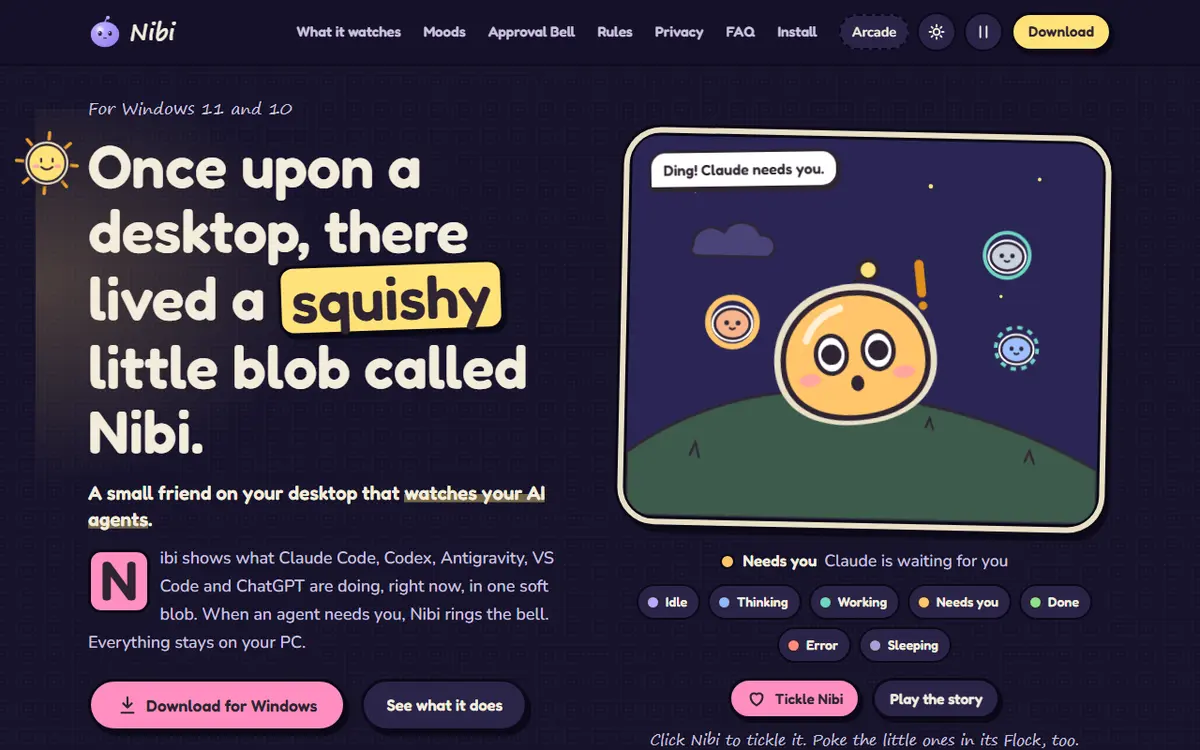
Over the last few months I've shipped six apps that anyone can use for free: Nibi, a desktop friend that watches your AI coding agents; Dangle, a charm that hangs over the top of your screen; Hush, a private snap app for up to 10 friends; Nook, a messenger with no feed; Helm, which turns an Android phone into a remote for a Windows PC; and Folio, an online PDF studio with 41 tools. I'm an Artificial Intelligence & Data Science student in Chennai, and I build these alongside my course. This is what shipping them has taught me.
Ship small, and ship often
The most useful habit I've picked up is releasing in small steps. Helm went from a v0.1.0 preview on 31 October to v0.5.0 on 7 November: seven releases in eight days. Each one did one thing well. v0.1.0 was only discovery, QR pairing over pinned TLS and trusted devices. v0.2.0 added the desktop window and tray, auto-reconnect, and gamepad and presentation modes. v0.3.0 brought the full-screen touchpad, screen sharing and in-app updates. Later releases made the phone work as a Bluetooth mouse and keyboard, then added flick scrolling, quick keys and a home-screen widget.
Small releases are easier to test, easier to describe and easier to undo. Dangle is on its 14th release (v1.7.0, 16 October) and Nook has had 10 Android releases. None of them started out finished. They got better one release at a time, and people could use every step along the way.
Updates have to be trustworthy
When you hand people an installer from your own website instead of an app store, you also take on the job of updating it safely. Nibi asks GitHub once a day whether a newer version exists. It installs one only when you press Install, and every update is signed with Nibi's own key and checked before it goes on. Hush is a signed APK served from its own site, and after the first install the app shows "Update available" and updates itself. Dangle updates itself too, and the only thing it ever asks the internet is whether a new version is out.
What I don't have yet is a Windows code-signing certificate, so SmartScreen warns the first time you run the Nibi or Dangle installer. I would rather say that on the download page, with the two clicks that get past it, than let people find out on their own and wonder what else I didn't mention.
Say only what the product really does
That is the rule I care about most: a product page should only say true things. Some examples from my own pages:
- Folio processes your files on its own server and deletes them after 6 hours. It doesn't pretend everything happens in your browser.
- Helm's FAQ says it isn't available for iPhone or Mac yet.
- Hush's page says plainly that no app can stop a friend photographing their screen, and that the server keeps a recovery copy of each snap for up to 48 hours before an hourly cleanup deletes it.
- Ditto, my Chrome extension, is finished but still waiting for Chrome Web Store review, so I don't count it as shipped.
Numbers get the same treatment. My portfolio reads each app's version from its GitHub releases or its release.json file, so the version on the card is the one people actually download. When I counted installer downloads on 12 November (168 for Dangle, 58 for Helm, 32 for Nook and 13 for Nibi), I wrote down that GitHub counts my own test installs too. Those are upper bounds, not users.
Writing like this is slower. But it means every sentence on the page can be checked, and nobody installs something expecting a feature that isn't there.
Make the pages readable without JavaScript
Helm's and Folio's websites are React single-page apps. Until I fixed it, every URL on them sent an almost empty HTML file, and the content only appeared once JavaScript ran. Google copes with that; many of the crawlers behind AI assistants don't. Both sites now prerender every page at build time into real HTML, each with its own title, description and structured data. Folio has a page for every tool, and Helm has one for each part of its docs. I wrote up that whole pass in How I made my apps readable by Google and AI assistants.
Free, and mostly without accounts
All six apps are free. Nibi, Dangle, Helm and Folio don't ask you to sign up at all. Nibi has no servers, accounts or telemetry. Helm pairs a phone and a PC with a QR code and an encrypted connection instead of a cloud login. The two messaging apps, Hush and Nook, do have a sign-up, because they need to know who your friends are. Even there, Hush only lets you add friends by QR code or invite code, and there is no user search.
Keeping things free shapes the engineering more than I expected. Nook runs on a free Render instance that sleeps and drops every socket, so the server pings itself every ten minutes and a scheduled GitHub Action knocks as a backstop. I wrote about that trade-off in the Nook case study.
What I'd tell another student
- Build something you would use yourself, and put a first version out early.
- Write release notes, even short ones. They become your changelog; mine is on my /now page.
- Decide how updates will reach people before you have any users.
- Write the product page as if someone will check every sentence, because someone will.
- Make sure a crawler can read your pages, or people won't find them.
None of these apps is finished, and that's fine. Each one is a real thing people can install today, and each release teaches me something the next one uses. If you're hiring for an internship or a junior developer role, or want to build something together, the rest of my work is on my portfolio.
Topics
- Shipping
- Indie apps
- Release process
- Product pages
- Student developer