
Post by Niranjan D
How I made my apps readable by Google and AI assistants
Published · 5 min read
The SEO and GEO pass across my sites: prerendering single-page apps, real robots.txt, sitemap and llms.txt files, one connected Person entity in structured data, honest FAQs and IndexNow.
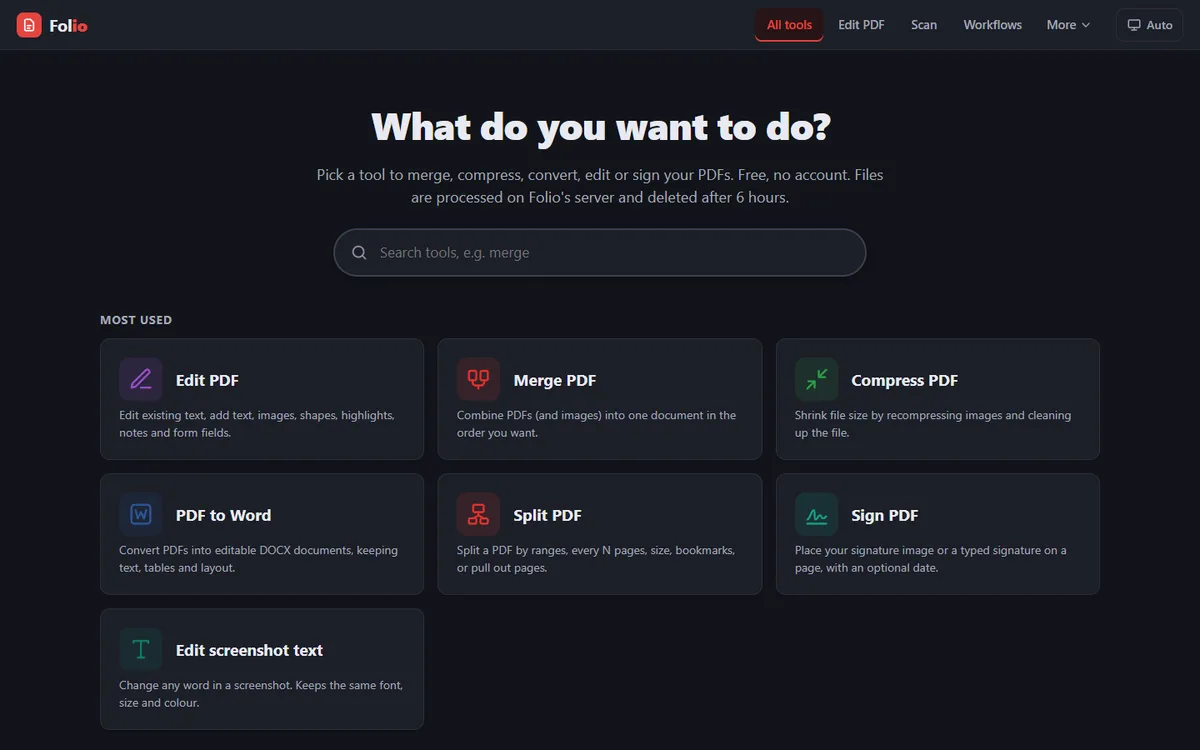
On 7 November I went through every site I run, Helm, Folio, Hush, Dangle, Cube Solver and this portfolio, with one question: if a search engine or an AI assistant reads this page, does it get the facts? For some of them the honest answer was no. This is what I changed, and why.
The problem: an empty page
Helm's and Folio's websites are React single-page apps built with Vite. A single-page app sends the browser one HTML file with an empty <div id="root"></div>, and JavaScript draws everything after that. Google runs JavaScript, so it copes. Many of the crawlers behind AI assistants don't, so to them every URL on those sites was a blank page with a title.
1. Prerender every page
The fix was to render each page to real HTML at build time. For Helm, a script runs after the normal Vite build, renders the React app for every route with react-dom/server, and writes each route's own index.html with that page's title, description, canonical URL, Open Graph tags and JSON-LD. The browser still starts the app the same way, so nothing changes for visitors, but a crawler that never runs JavaScript now reads the whole page. Folio does the same with plain-HTML versions of its public pages, including one for each of its 41 tools and a page comparing it with other PDF sites.
Hush, Dangle and Cube Solver already serve plain HTML, and this portfolio is built with Next.js, which renders pages on the server and refreshes them in the background. For those, the work was making sure the HTML held the complete content.
2. Real files for robots.txt, sitemap.xml and llms.txt
A common trap with single-page apps is that any unknown URL returns the app's home page with a 200 status. A crawler that asks for /robots.txt or /llms.txt then gets HTML back, and a page that doesn't exist looks like one that does. So on every site I made sure these three are real files, served with the right content type, and that a missing page returns a real 404.
- robots.txt allows everything public and names the AI crawlers one by one: GPTBot, OAI-SearchBot, ClaudeBot, PerplexityBot, Google-Extended and others.
User-agent: *already covers them, but naming them leaves no doubt that the site wants to be read. Private paths, such as the APIs, stay disallowed. - sitemap.xml lists every real page. Helm's includes each docs page, Folio's each tool, and Dangle's has a page for every one of its 149 charms.
- llms.txt is a plain-text summary written for AI assistants, following the proposal at llmstxt.org: what the app is, which platforms it runs on, the price, the latest version, how to get it and who made it. On this portfolio, /llms.txt is generated from the same content file as the pages, so it can't fall out of step with them.
3. One person, connected across every site
Plenty of people share my name, and several of my app names are shared with unrelated apps. Structured data is how I tell search engines which is which. This portfolio describes me once, as a Person with the ID https://www.niranjand.in/#person, linked to my GitHub, LinkedIn and X profiles. Every product site then names that same ID as the author and publisher, instead of describing me again. Helm's SoftwareApplication, Folio's WebApplication and Hush's MobileApplication all point at one entity, so a search engine can join them into one picture of who made what.
On 8 November I went back and changed the product sites to use exactly the www address and the same #person ID, because a small mismatch, like niranjand.in against www.niranjand.in, is enough to look like two different people. My llms.txt also has a short "not to be confused with" section: the Folio PDF Reader & Editor app on the Microsoft Store and Google Play, Lucky Dangle and DeskDangle are other people's apps, not mine.
4. FAQs that answer real questions, honestly
Each site has an FAQ, marked up as FAQPage structured data, and I wrote the answers so they can be checked. Dangle's says the Windows installer isn't code-signed yet, so SmartScreen may warn the first time, and how to get past it. Helm's says it isn't available for iPhone or Mac yet. Hush's site says it is Android only, and that no app can stop a friend photographing their screen. Folio's says files are processed on its server and deleted after 6 hours.
An AI assistant repeats what it reads. If my FAQ oversells, the assistant oversells for me, and the first person who tries the app finds out. A plain answer that admits a limit is also exactly the kind of sentence an assistant can quote.
5. Tell search engines when something changes
The last piece is IndexNow, a shared way to tell Bing and the other engines that support it that pages have changed, instead of waiting for them to come back on their own. Each site gets a key file at its root and a small script that reads the live sitemap and sends every URL in one request. Helm, Folio, Hush, Cube Solver and Dangle all have one now, and Bing accepted every page they sent; this portfolio is next.
What I'd do first next time
If I started a new site tomorrow, I'd do these before writing any marketing copy:
- 1
Check that the HTML holds the content without JavaScript. Use
curl, not a browser. - 2
Put real robots.txt, sitemap.xml and llms.txt files in place, and make missing pages return 404.
- 3
Point the structured data at one Person ID that every other site shares.
- 4
Write the FAQ as if it will be quoted, because it will be.
You can see the results on any of the sites above: view the page source, or open their llms.txt. The Cube Solver case study covers how that app was built, and What I learned shipping six free apps as a student covers the apps themselves.
Topics
- SEO
- GEO
- Structured data
- llms.txt
- Prerendering
- IndexNow